Expensio: AI-Assisted Expense Reimbursement System
Expense reimbursement is a routine process, but one filled with uncertainty. This project explores how AI can reduce that uncertainty without removing human accountability.
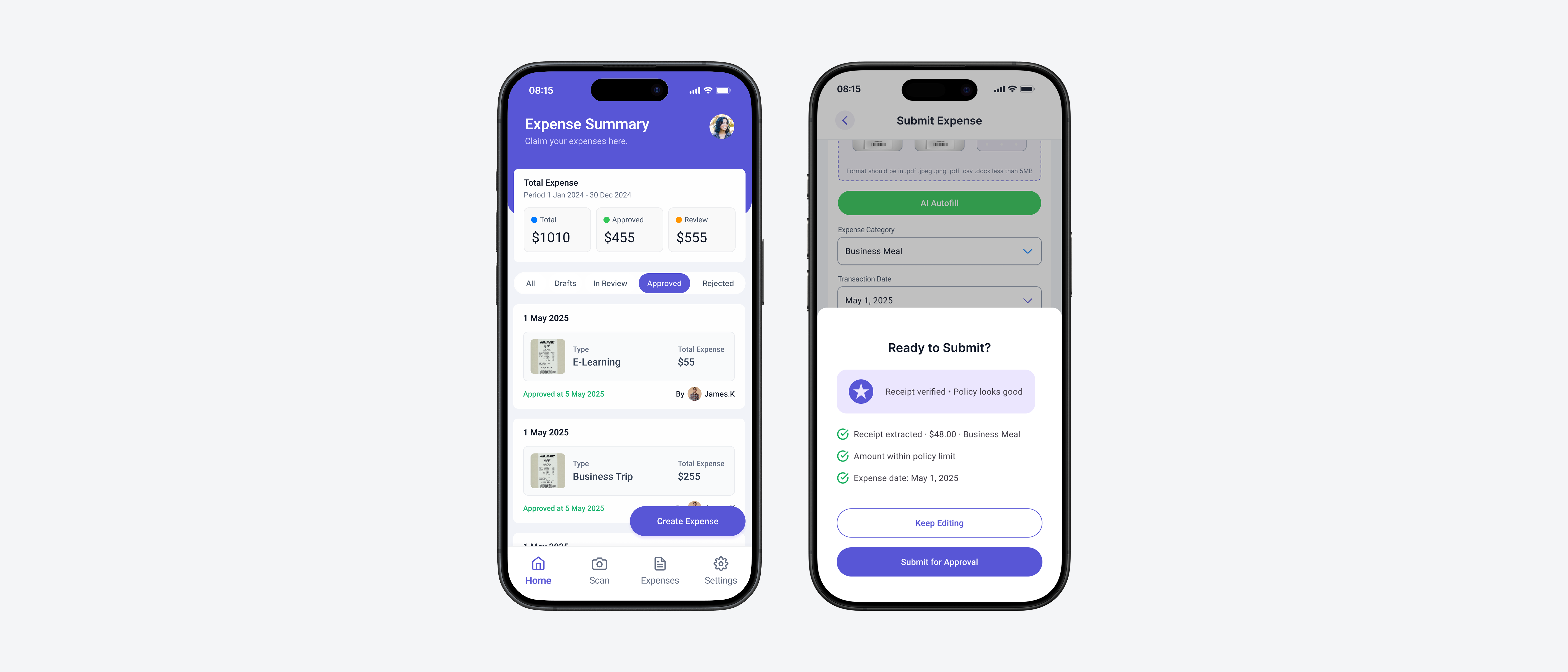
For submitters, the challenge is not just completing a form. It is knowing whether the submission is correct, complete, and compliant before it is too late. For approvers, the difficulty lies in reviewing large volumes of requests while making accurate and accountable decisions under time pressure.
Most existing reimbursement systems rely on static rules and post-submission corrections, which lead to repeated back-and-forth, delays, and frustration on both sides. Both roles operate in decision-heavy environments where small errors carry real consequences, making confidence and clarity critical throughout the workflow.
This project identifies where AI adds clear value and deliberately limits its role where human judgment must stay in control.
I led the end-to-end product design for both the submitter and approver workflows, from initial research and problem framing through to interaction design and final screens. This included defining where AI adds value without compromising accountability, designing the Confidence Indicator system, and structuring the priority-based approval queue.
AI was introduced to support decision-making, not to automate it. In this workflow, users are not just completing tasks. They are making judgments that carry financial and compliance implications. AI can identify patterns, highlight potential issues, and reduce manual effort. However, final decisions require human accountability, especially in cases involving exceptions, ambiguity, or financial responsibility.
The core design challenge was determining exactly where AI intervention helps versus where it creates new problems, and building a system that users trust precisely because it is transparent about its own limits.
01. Problem Discovery
What users actually said
To understand the problem space, I conducted contextual interviews with six employees across two roles, four expense submitters and two approving managers, at a mid-sized technology company.
I never know if I have attached the right documents. I just submit and hope for the best.
SubmitterGetting rejected a week later because of a category error is so frustrating. I wish it told me upfront.
SubmitterI review 30 to 50 requests a week. Most of my time goes to chasing missing information, not actual decision-making.
Approver02. Research & Insight
The root cause was not the form
Initial research pointed to form complexity as the primary problem. Digging deeper revealed a different root cause:
The system gives users no signal about whether they are doing it right until it is too late.
For submitters, the core need is not just completing a form. It is submission confidence: knowing the request is correct, complete, and likely to be approved before hitting send.
For approvers, the challenge is not volume. It is signal-to-noise: identifying which requests need real attention versus which are routine.
HMW
Help submitters feel confident their submission is complete and compliant before they submit?
HMW
Help approvers quickly identify which requests require their attention and why?
HMW
Introduce AI assistance without reducing user accountability or trust?
03. Problem Reframing
Not every step in the workflow benefits from AI
AI was considered for every step of the workflow. But intervention needed to be earned. The question was not what AI could do. It was where AI added value without shifting accountability away from people.
Design Principle
AI should reduce effort and surface information, not make decisions that carry financial or compliance consequences.
04. Design Exploration
Two directions that did not survive testing
The final direction came from ruling out two earlier concepts. Both were reasonable on paper. Neither held up when real users interacted with them.
Auto-approval for low-risk submissions
Early concept: automatically approve reimbursements under $50 with clean receipts and no policy flags. The intent was to reduce approver volume for clearly routine requests.
What we learned
User testing revealed that approvers felt uncomfortable with decisions being made without their involvement, even for small amounts. One participant said: "If something goes wrong, I am still responsible, but I did not see it." Trust required visibility, not speed.
Real-time blocking for policy violations
We explored preventing submission when a compliance issue was detected. The goal was to enforce policy earlier in the process rather than after the fact.
What we learned
This created anxiety and confusion. Users did not understand why they were blocked, and in valid edge cases, such as a pre-approved exception, blocking was the wrong behavior entirely. Guidance works better than gates.
Both abandoned concepts pointed to the same insight: control and accountability cannot be delegated to the system. The final design shifted from automation and blocking to assistance and confidence-building.
05. Key Decisions & Trade-offs
Three decisions that shaped the final design
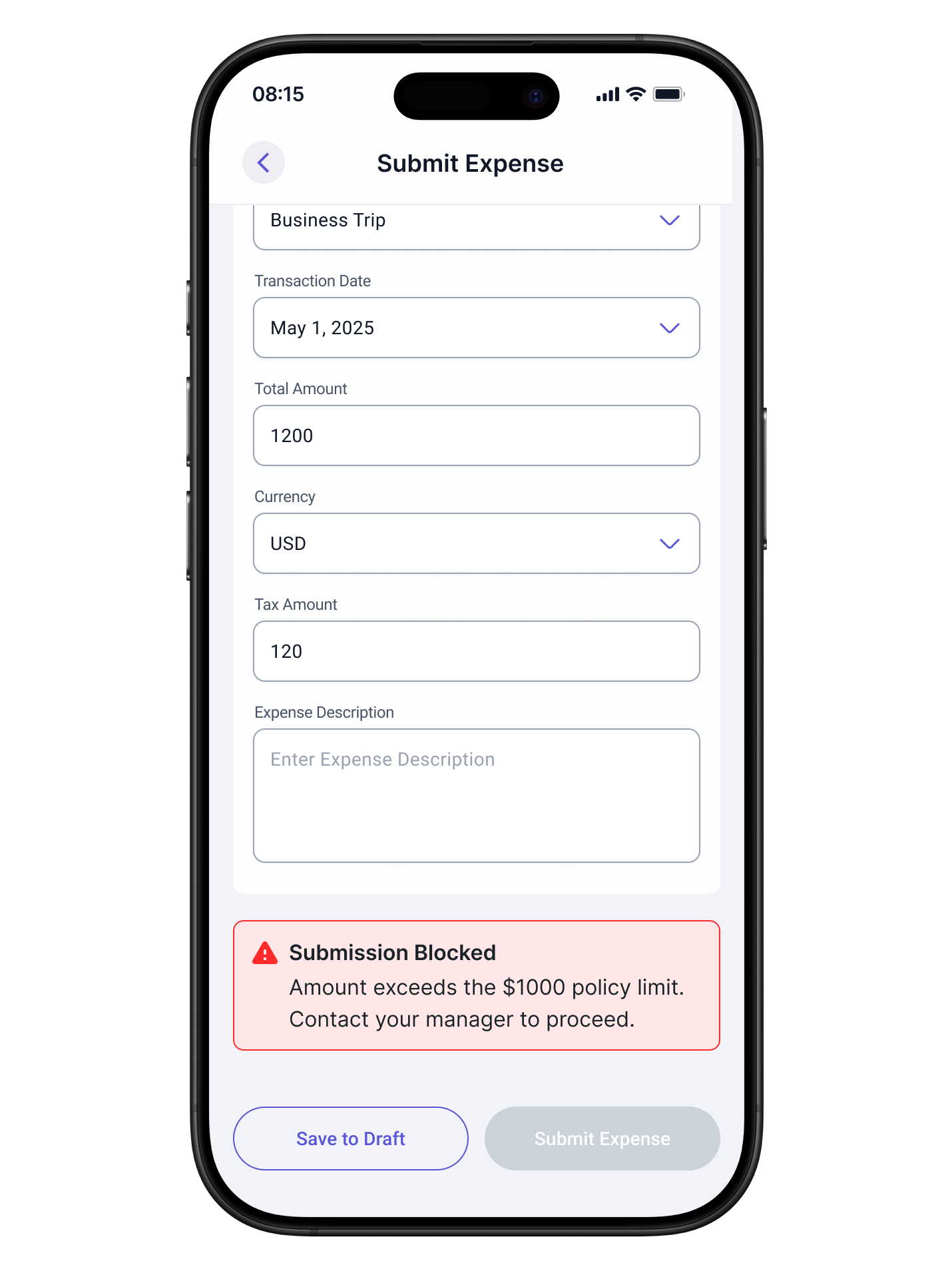
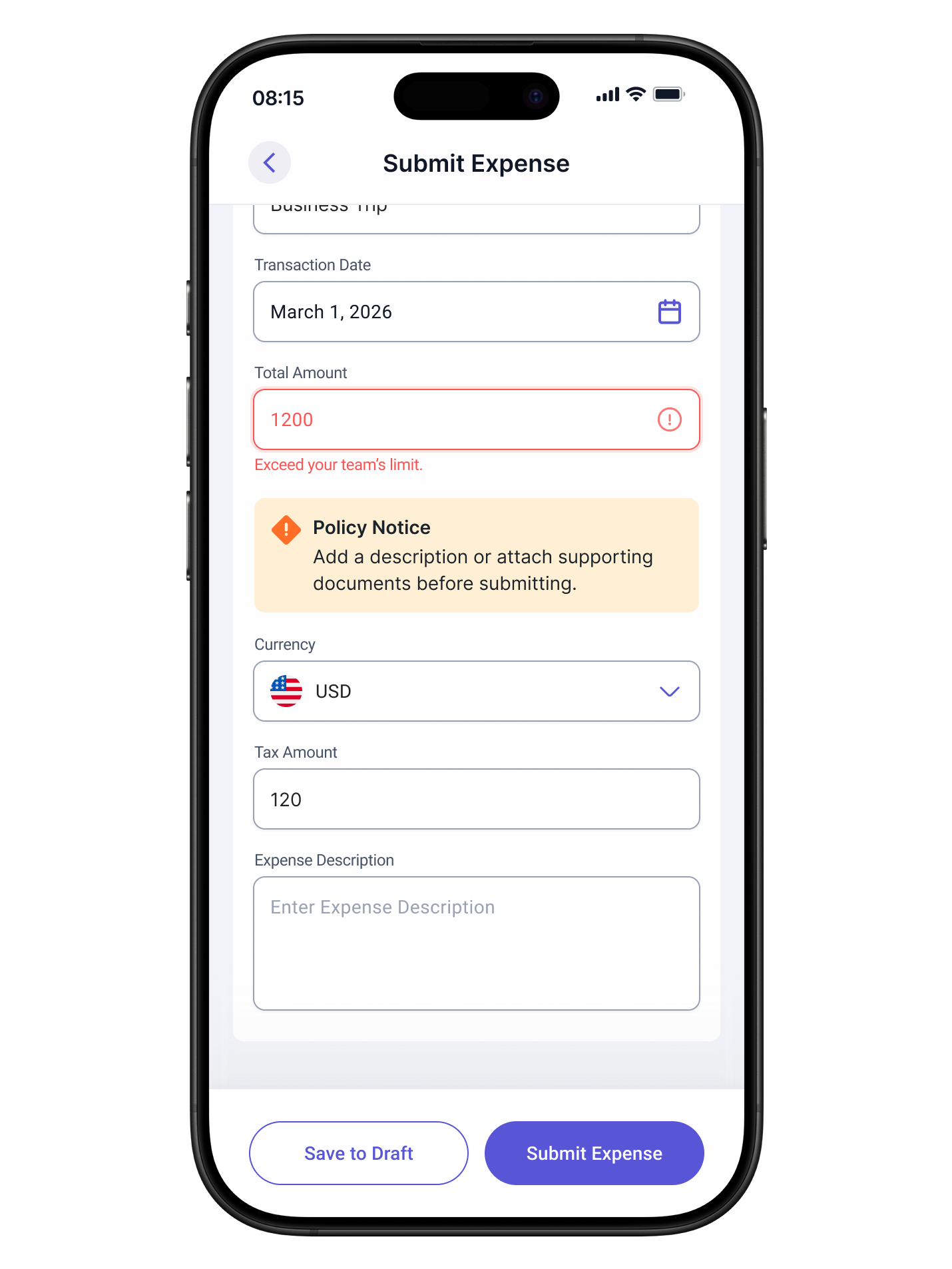
Guidance Over Blocking
Problem
How do you enforce policy without punishing users who have legitimate exceptions or edge cases the system cannot anticipate?
What we chose
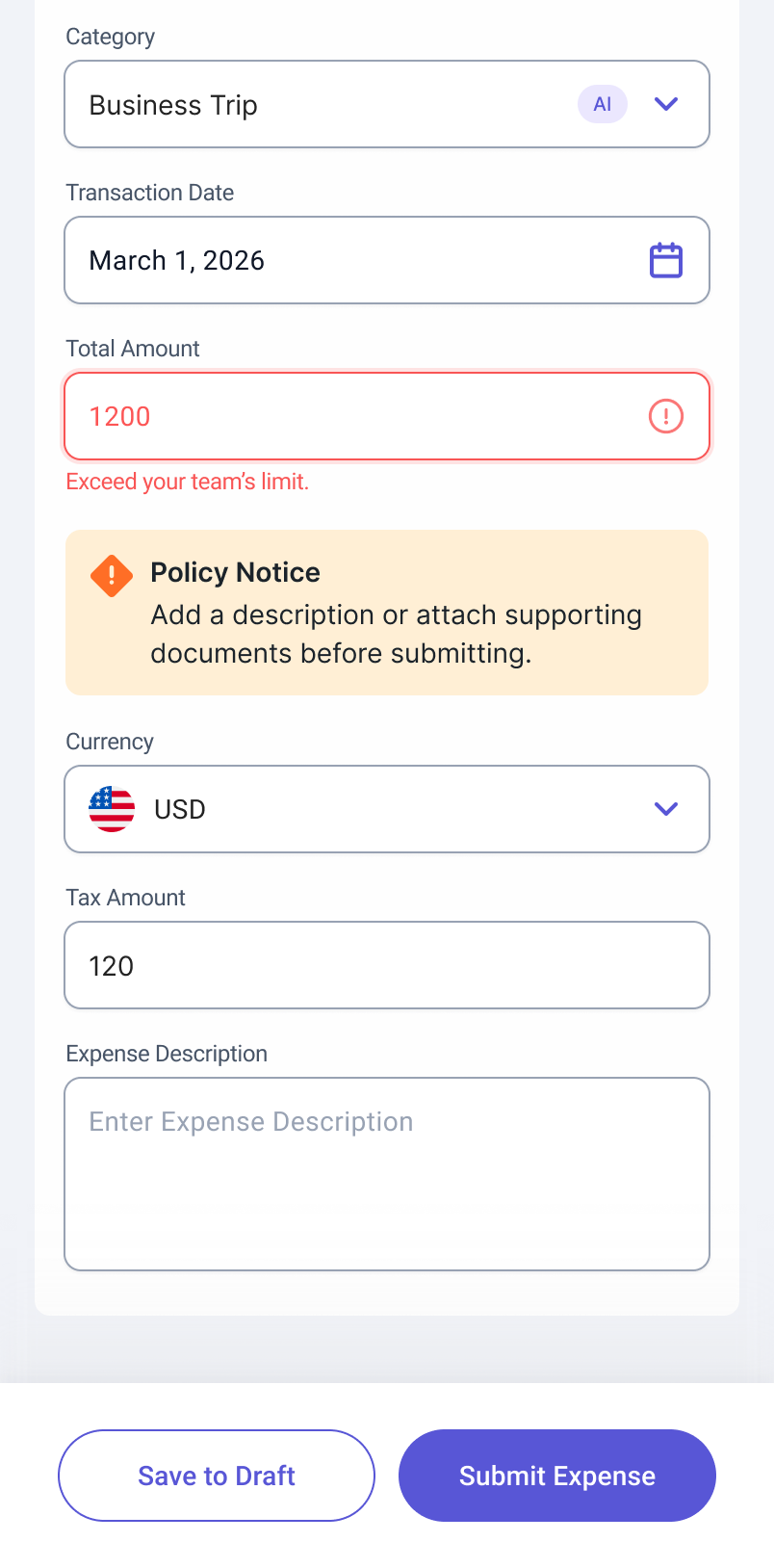
Inline guidance that explains the potential issue and offers a clear path forward, such as attaching documentation or adding a clarifying note, rather than preventing submission.
Rationale
Blocking assumes the system is always right. It is not. Guidance respects that users may have valid context the system lacks, while still surfacing the issue clearly enough to act on.
Before
After
Confidence Indicator
Problem
Users submitted with low confidence because they had no signal about whether the submission was complete or likely to be approved.
Options considered
A: Completion checklist.
B: Predictive score with explanation.
C: Contextual summary before the submit button.
What we chose
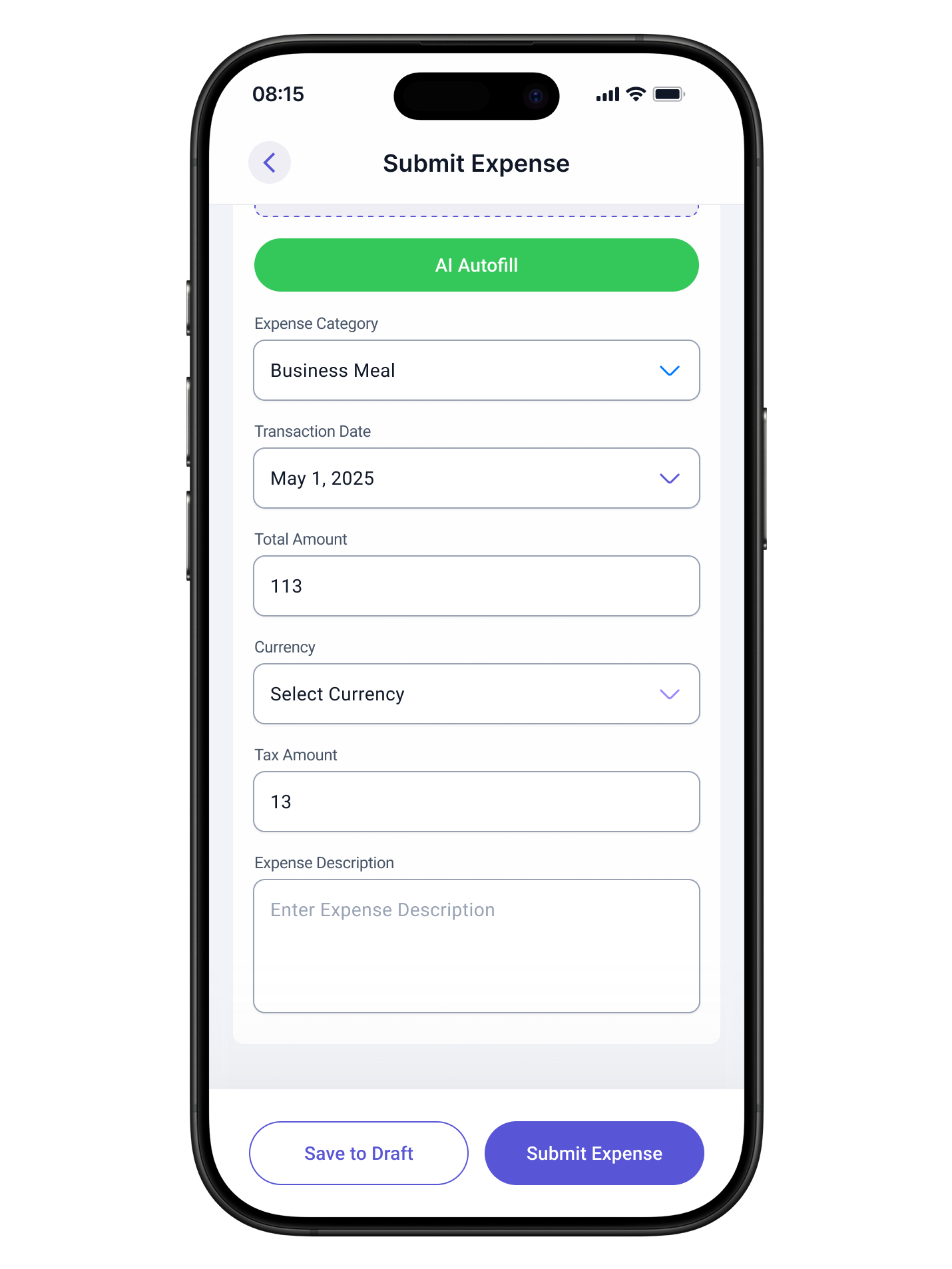
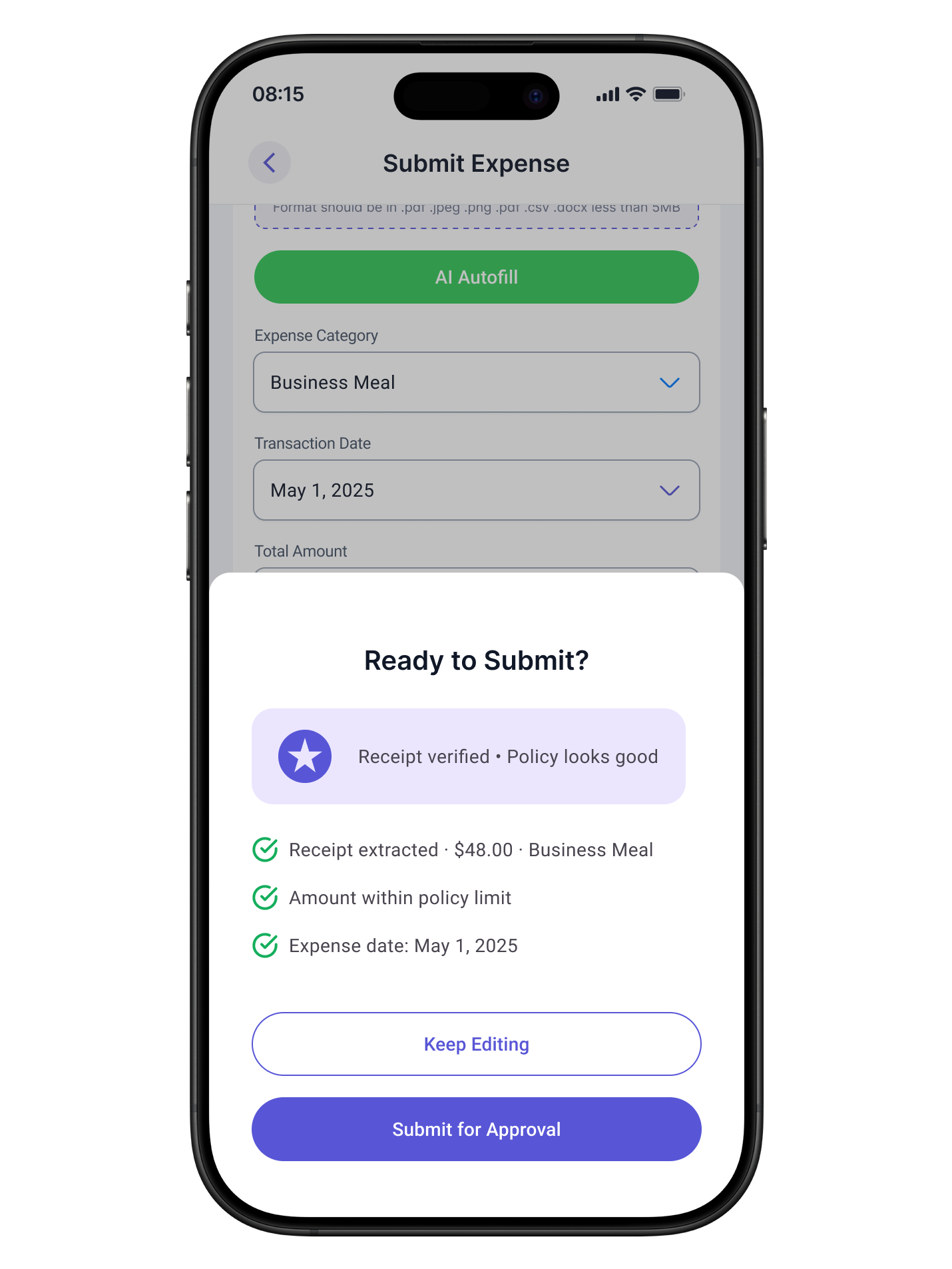
A lightweight contextual summary combining completeness status and compliance health, shown as a confirmation step before sending for approval. Not a blocking gate.
Rationale
A checklist felt mechanical. A score felt intimidating. A contextual summary gave users enough signal to act confidently without adding cognitive load.
Before
After
Priority Queue for Approvers
Problem
Approvers reviewed requests in chronological order, causing high-risk or time-sensitive items to be missed until it was too late.
What we chose
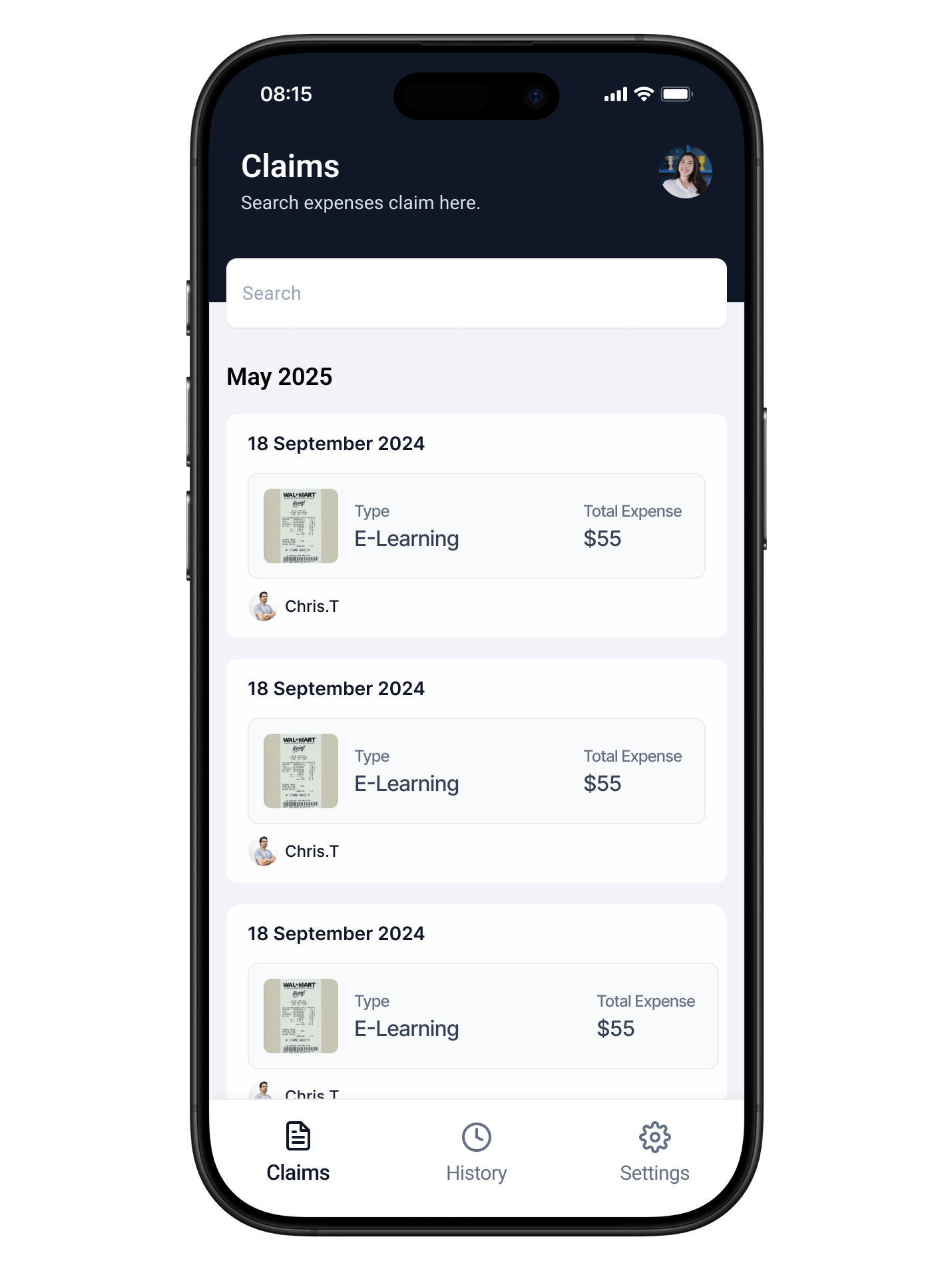
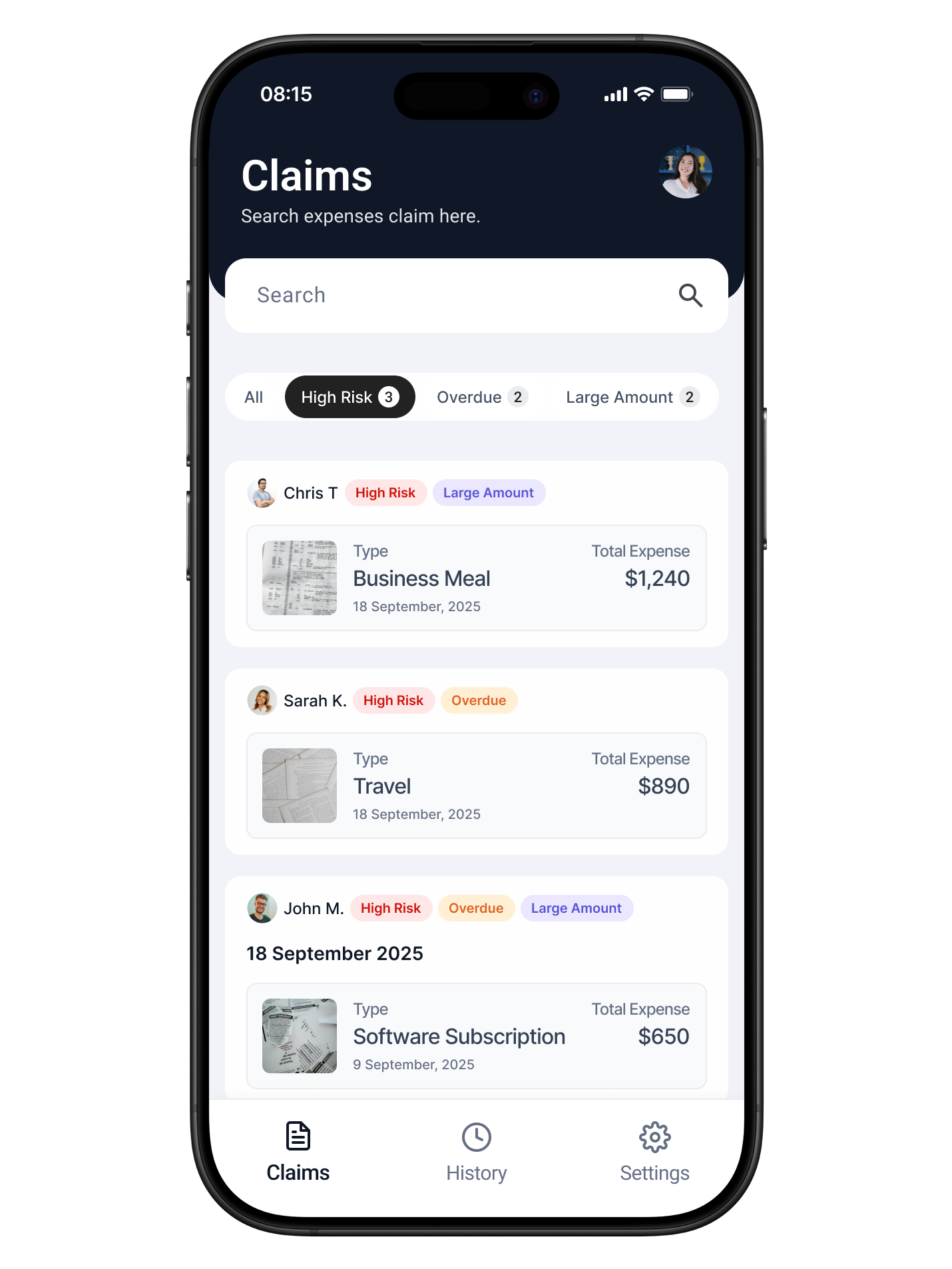
An AI-sorted queue based on policy risk flags, time pending, and amount threshold. Sort order is visible to the approver.
Trade-off
We intentionally kept the sort logic visible and filterable. Opaque sorting eroded trust in early testing. Approvers wanted to understand why an item was ranked high before acting on it.
Before
After
06. Final Design
Two journeys. Both anchored in confidence.
The final design covers two distinct user journeys, each addressing the specific failure modes identified in research.
Submitter journey
Step 01
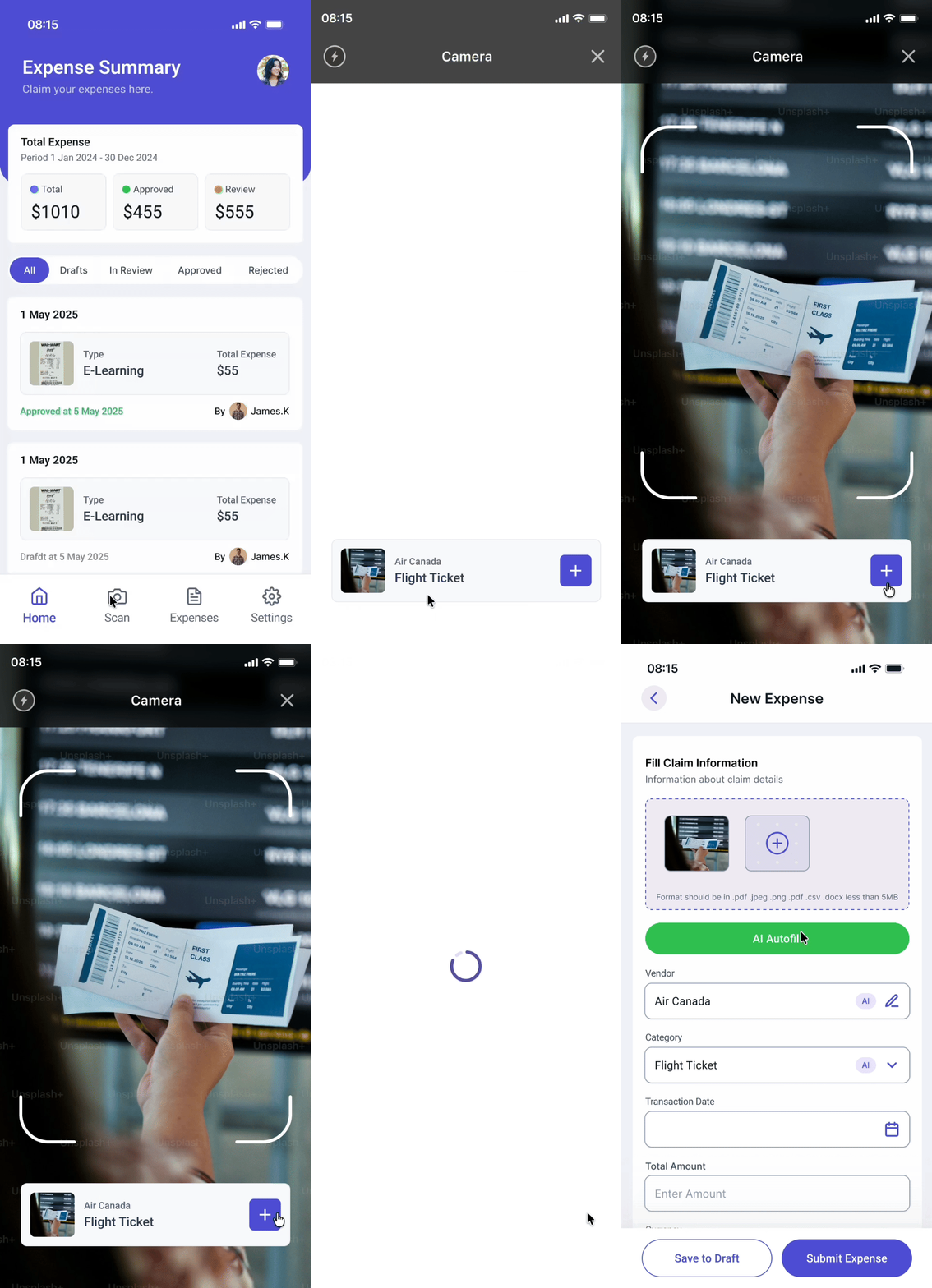
Upload receipt
AI parses the uploaded receipt and pre-fills category, date, vendor, and amount.
Step 02
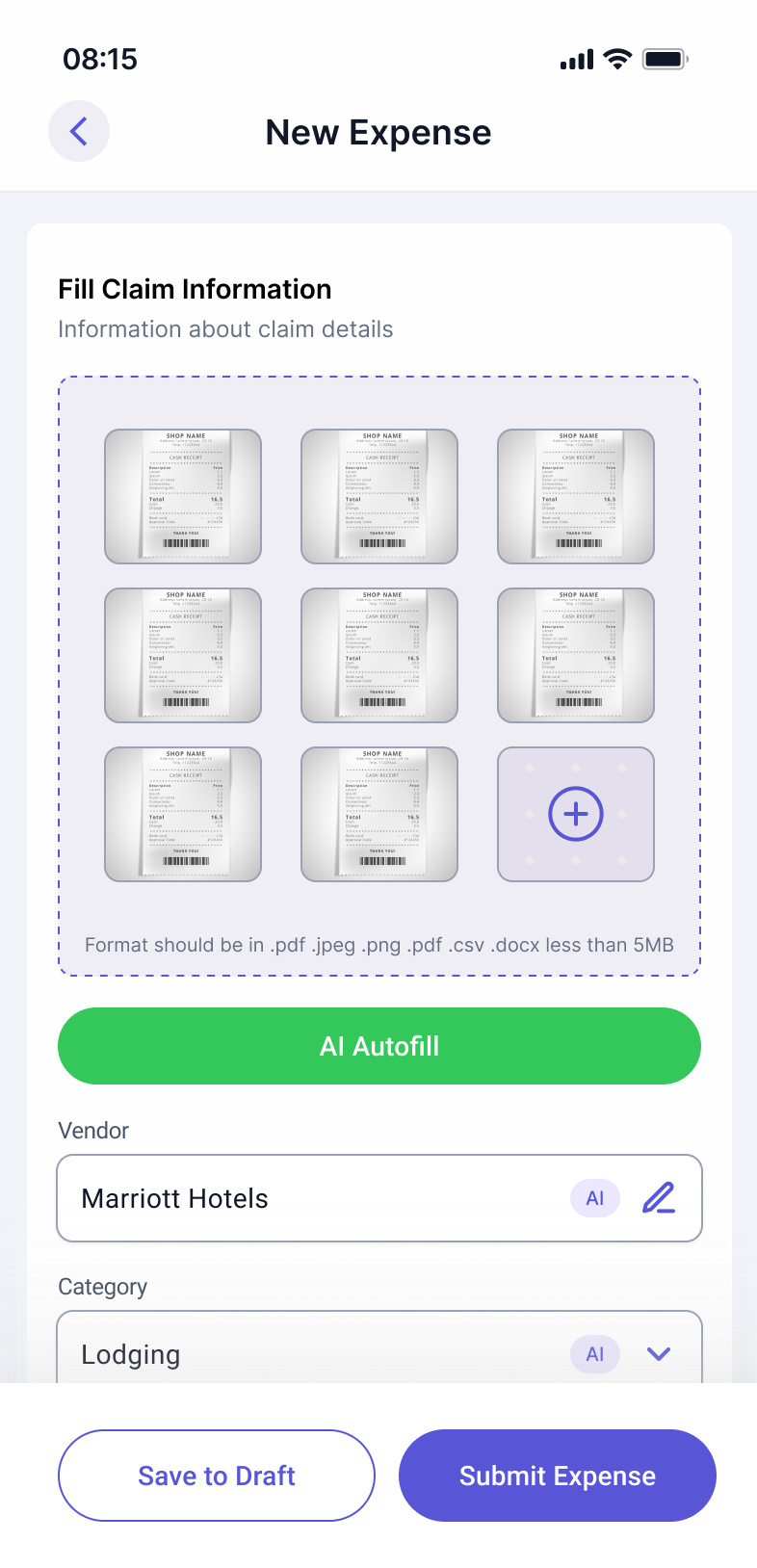
Review pre-filled data
All AI-populated fields are clearly editable. No lock-in. The user stays in control of their submission.
Step 03
Compliance guidance
Flagged items appear inline with a clear explanation and a suggested action. Submission is not blocked.
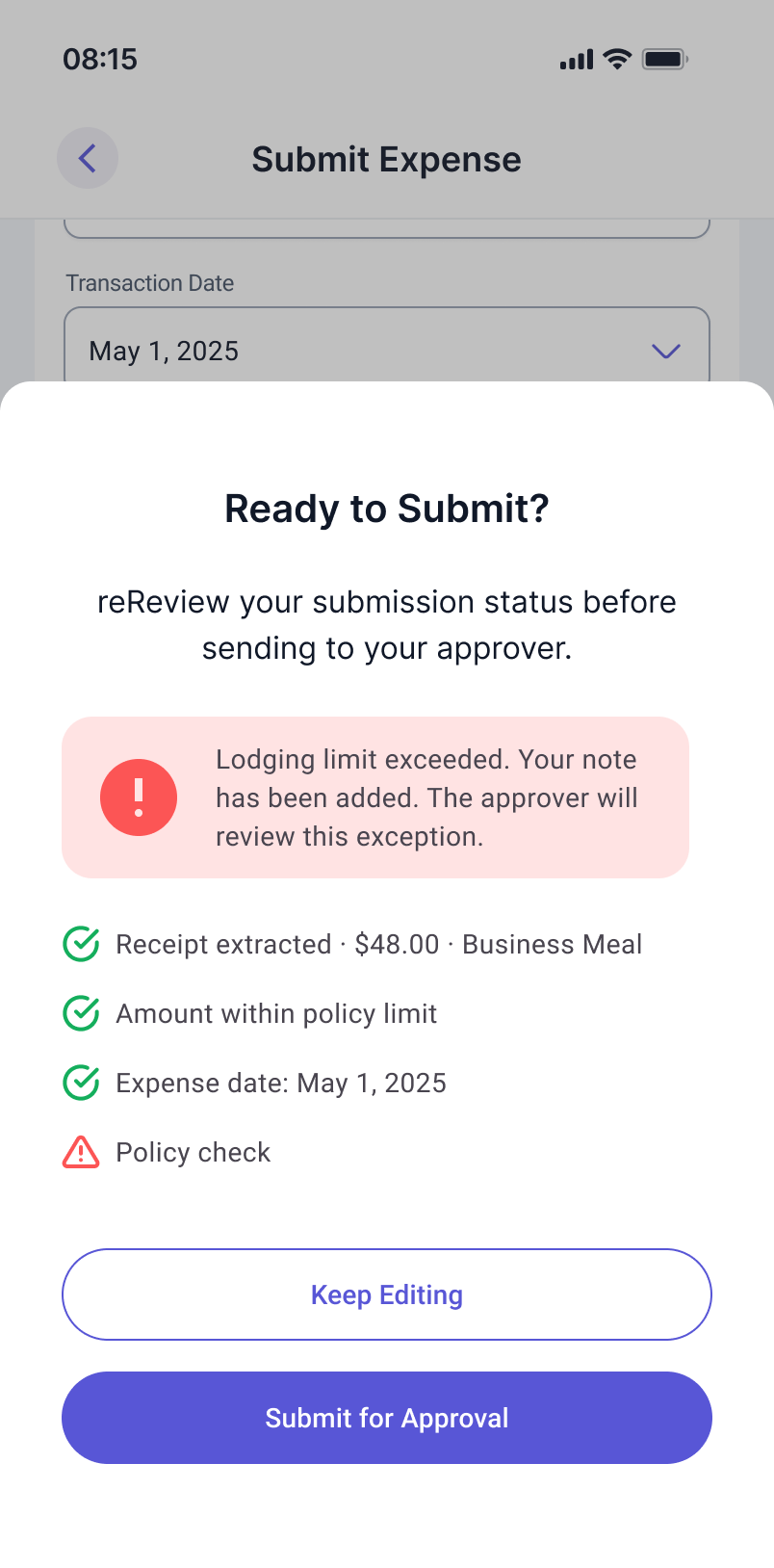
Step 04
Confidence Indicator
An overall readiness summary covers completeness, compliance, and key fields before submitting.
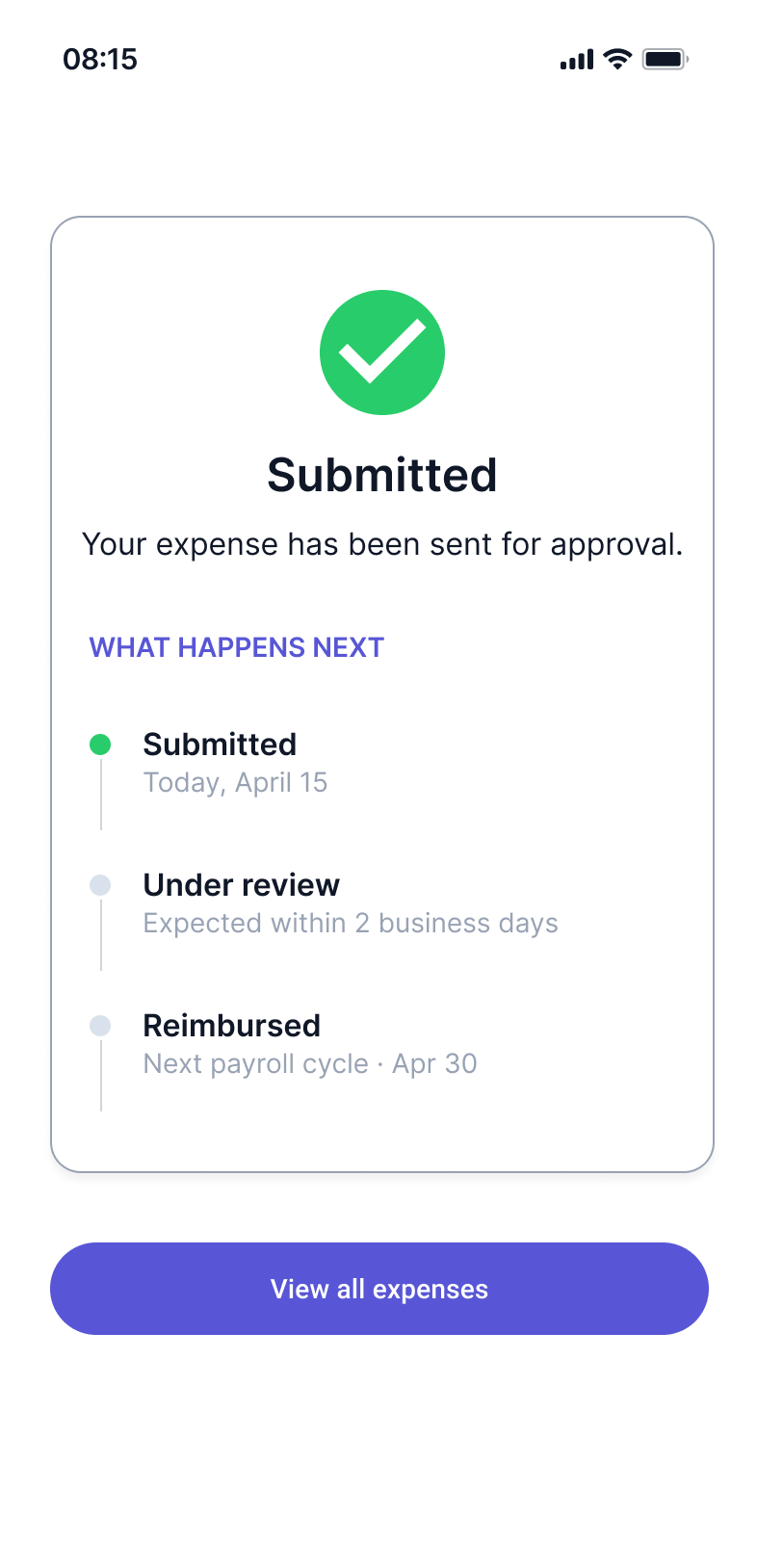
Step 05
Submission confirmed
Confirmation screen shows expected review timeline, setting accurate expectations from the start.
Approver journey
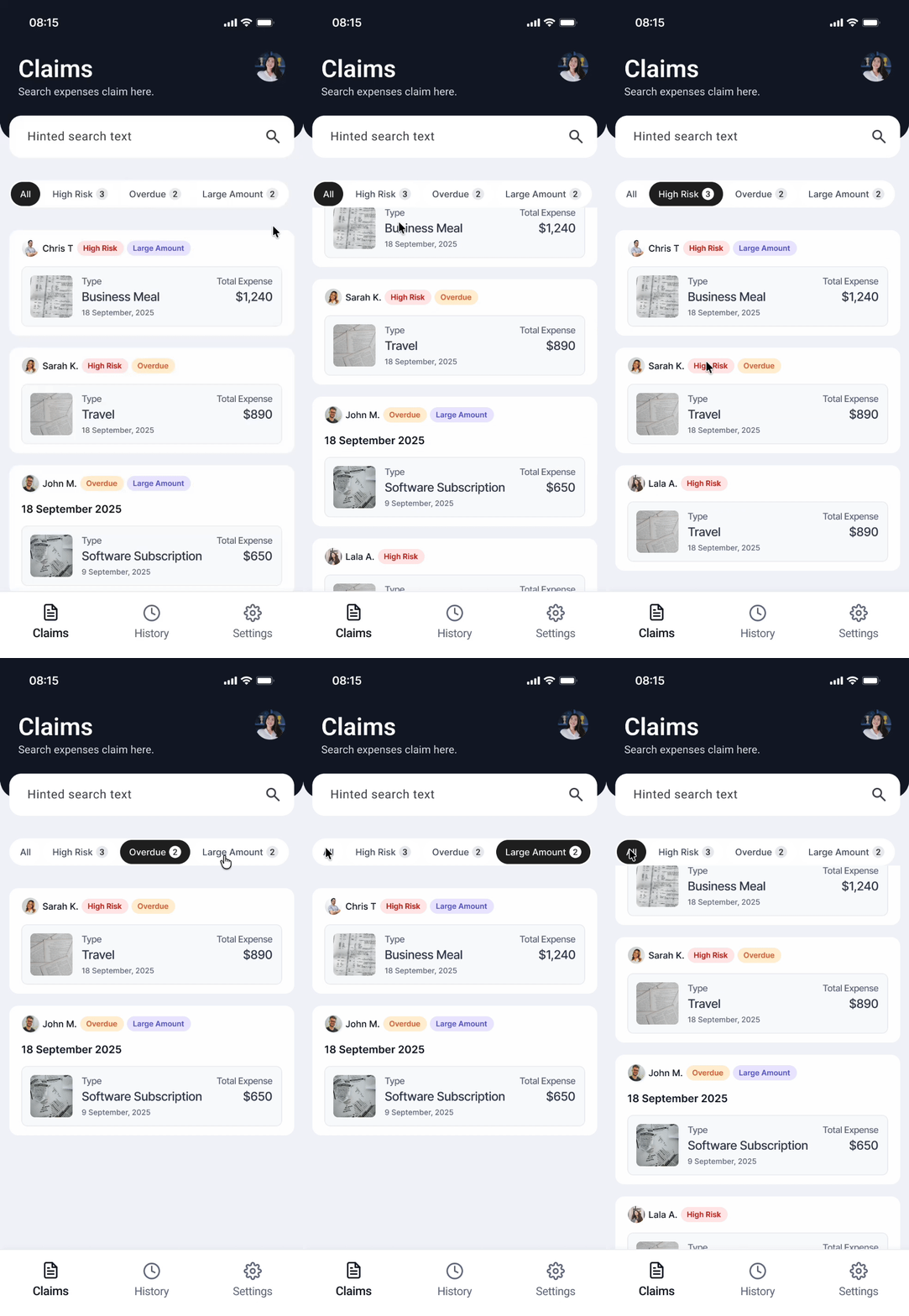
Step 01
Priority queue
AI sorts requests by risk flags, time waiting, and amount. Sort logic is visible and overrideable.
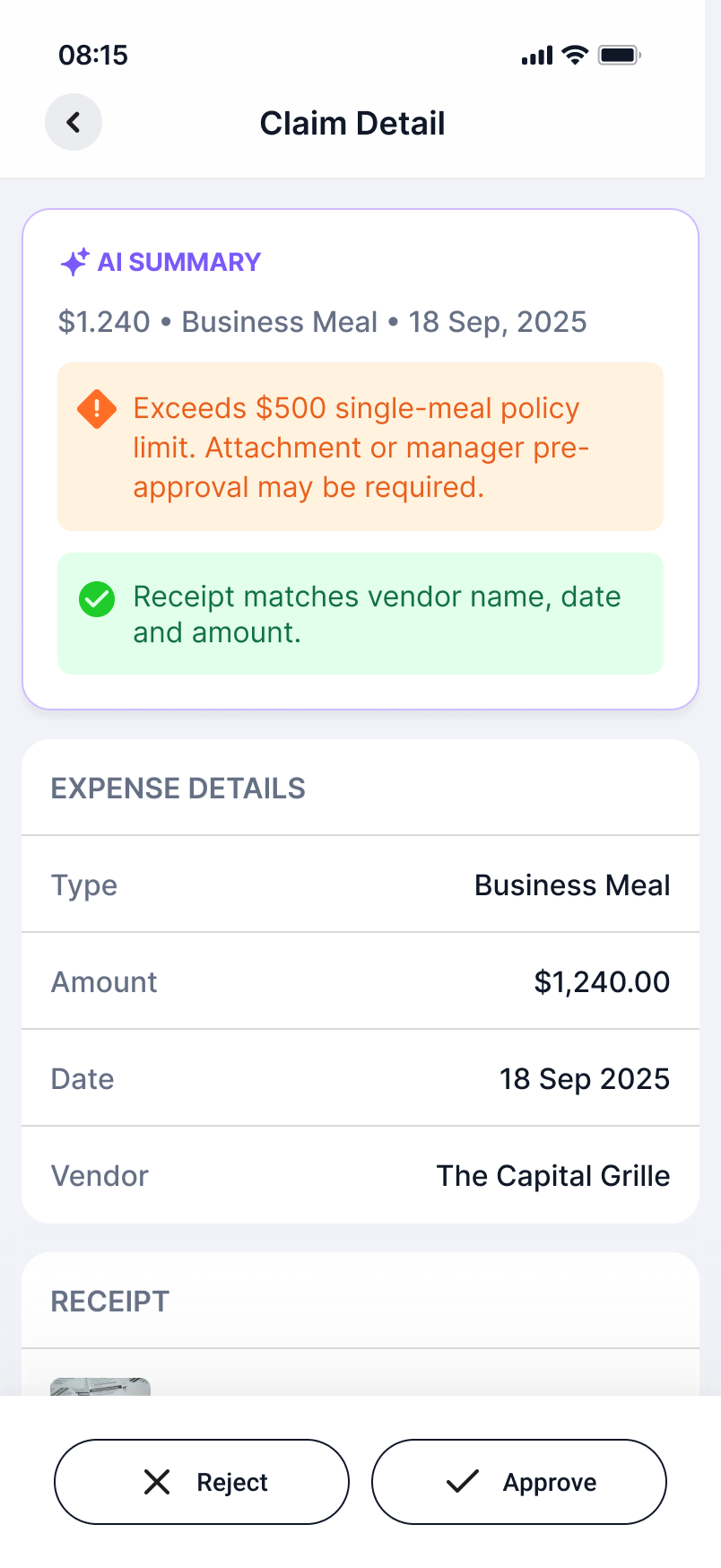
Step 02
Request detail
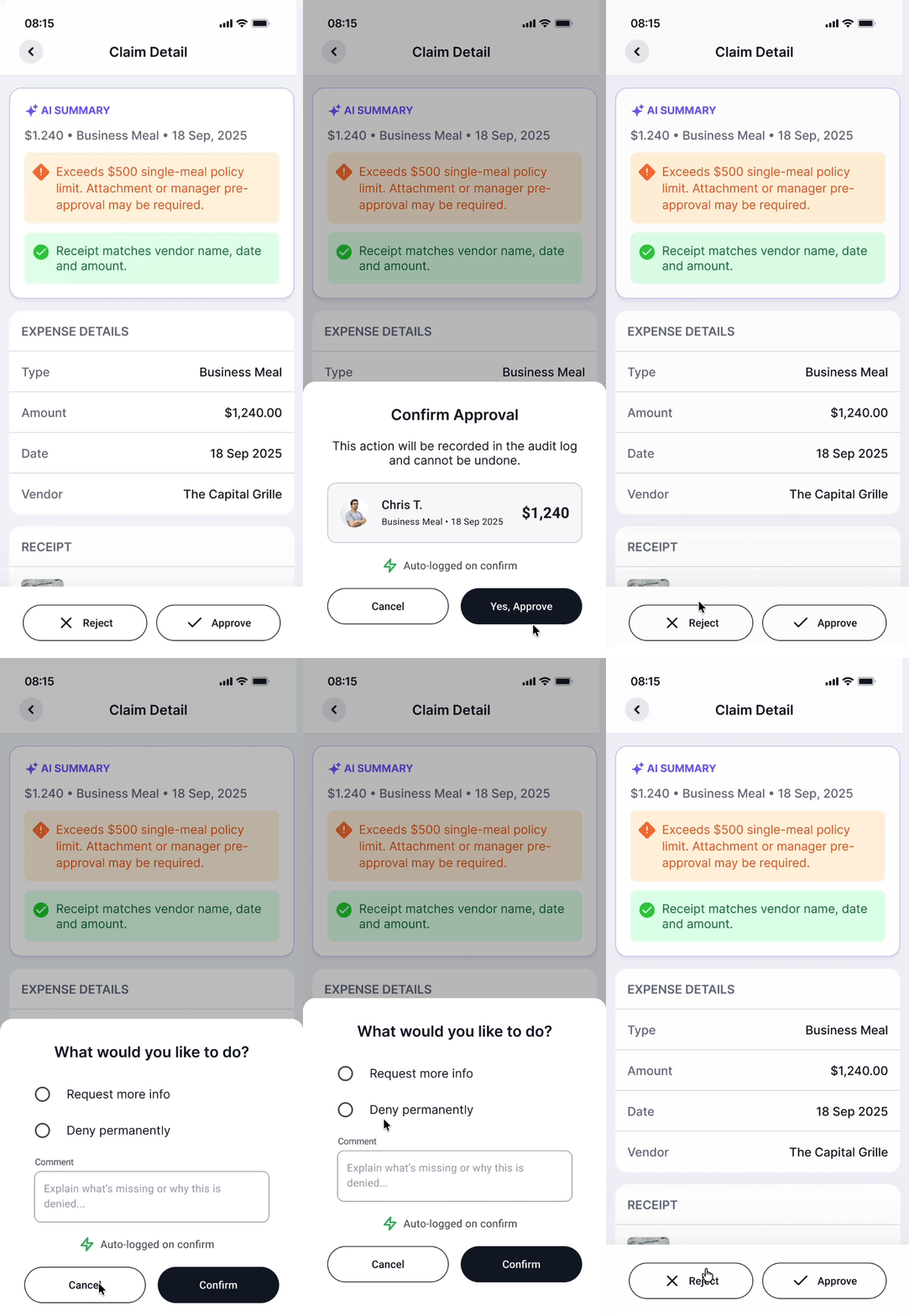
AI-generated context summary surfaces key facts and flagged items so approvers spend less time parsing documents.
Step 03
Action with context
Approve or reject with a reason. Rejections can request more information or deny permanently. All actions require confirmation.
Step 04
Audit log
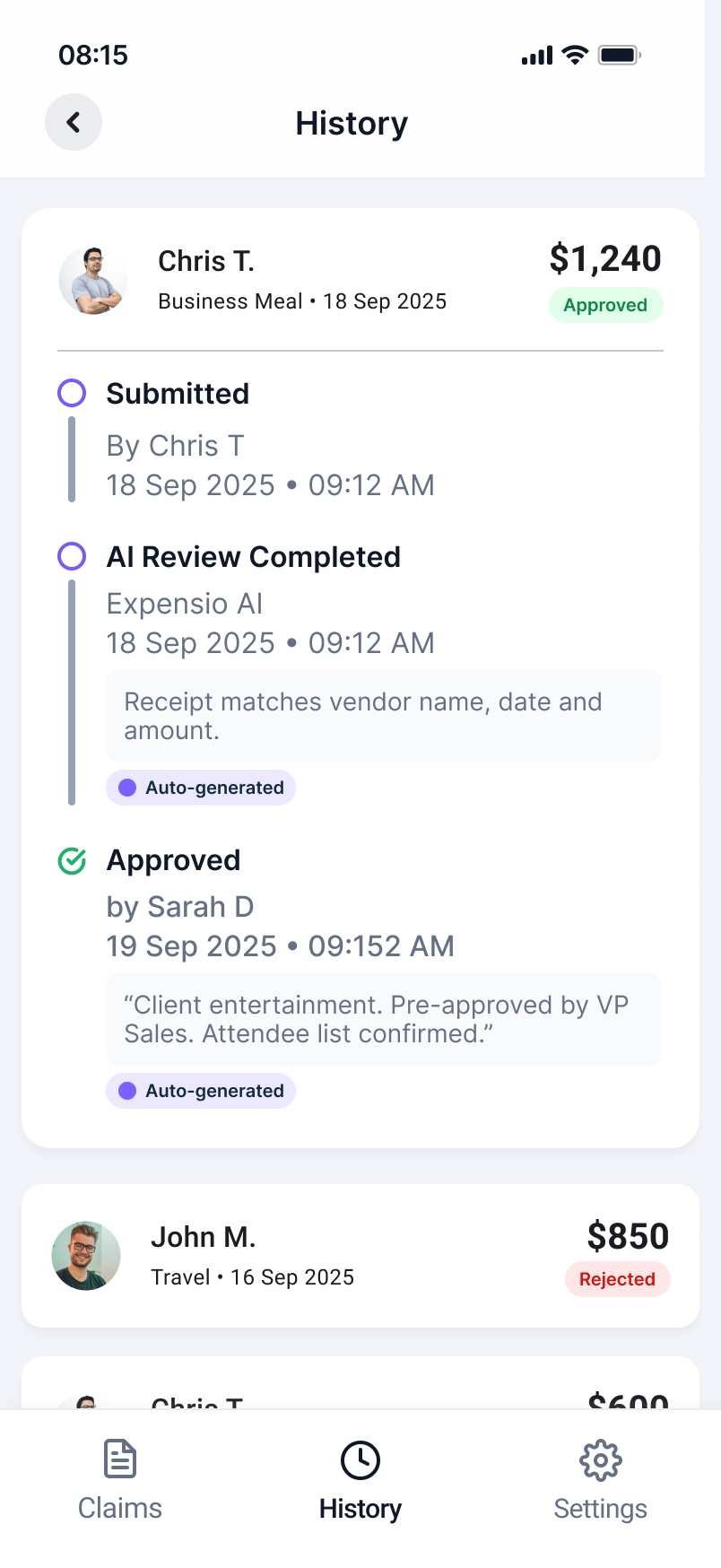
Every action is automatically logged with timestamp and rationale for compliance and record-keeping.
07. Impact & Next Steps
Measured against the failure modes we started with
Based on the failure modes identified in research, the redesigned workflow points to the following improvements.
Submission rejection rate
Compliance guidance and the Confidence Indicator surface issues before they become rejections.
Approver time per request
AI-generated summaries and priority sorting reduce the time spent parsing information before a decision.
Back-and-forth cycles
Pre-submission validation eliminates most of the incomplete or miscategorized submissions that drove revision cycles.
What I would do differently
I would involve approvers earlier in the design process. Most of the research focused on submitters, and the approver-side features were designed more from inference than direct insight. In a real project, I would run a separate research sprint specifically on the approval workflow before moving into design.
What I would explore next
Anomaly detection for repeat-pattern submissions that may indicate misuse, and a manager-level dashboard for team-wide reimbursement trends, giving operations teams visibility into spending patterns without requiring them to review individual requests.